Page 2 - A Closer Look - Hardware and Software
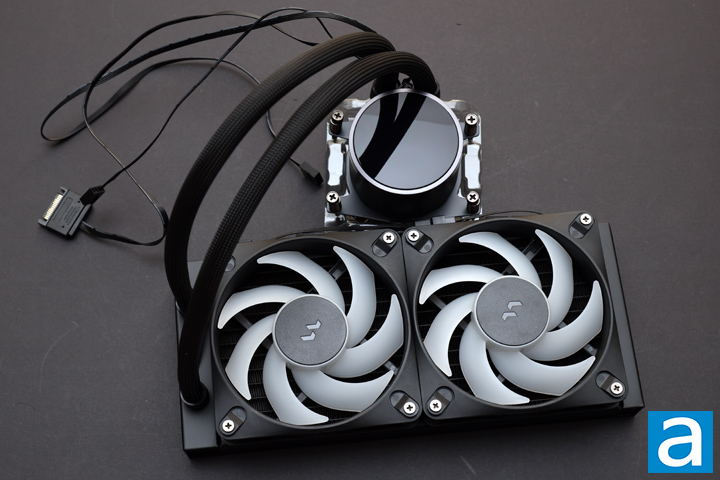
According to Fractal Design, the Radius 240 RGB Black is designed to have a clean and considered aesthetic. Following its Scandinavian design language, the Radius does not have any exaggerated or unnecessary elements in its physical design. Instead, the primary elements are rounded off, including each fan frame and the top circle CPU block. The only corners are found on the radiator itself, which is a standard design. Fractal Design has kept a minimal logo on the fans and the block, as well as a small etching on both sides of the radiator with their "Fractal" name. Connecting the pump block and the radiator is a braided rubber tube that looks clean. The braid also hides a cable between the fans and the pump. Instead, all the cables come out of the water block to power and control the lighting, pump, and fans. The overall black color is muted, but the RGB lighting livens the product up. There are other versions of the Radius, including 240mm and 360mm options with and without RGB lights. There is also a 360mm white version with colorful lighting.
The Fractal Design Radius 240 RGB Black radiator measures 277mm in length, 120mm in width, and 27mm in thickness. These are standard numbers for a 240mm closed loop cooler. The size of a radiator plays a crucial role in cooling, as a larger surface area results in better heat dissipation. It is made of aluminum, which performs satisfactorily in terms of heat transfer. However, the main advantage of this material is its lower mass, which should reduce the strain placed on the case. The overall build quality of the Radius 240 RGB Black is good with no obvious flaws or defects to observe. I would like to see a bit of protection under each mounting hole to ensure screws do not contact the fins, but if you use the screws included, this will not be an issue.
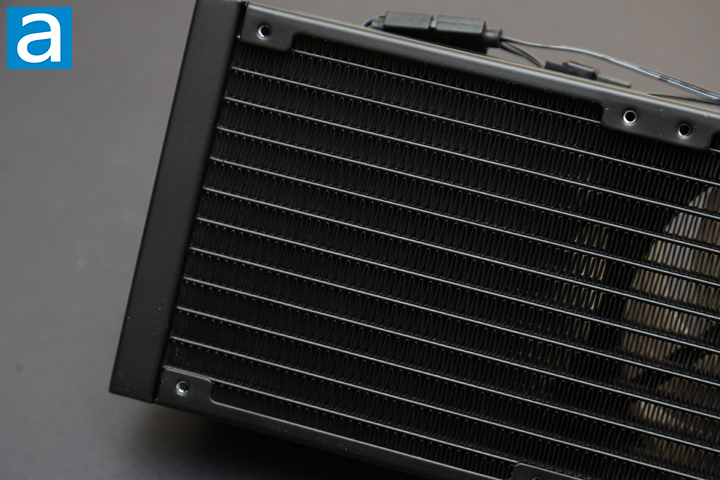
Upon closer inspection of the Fractal Design Radius 240 RGB Black, we have a standard radiator fin layout. The fins are placed in this manner, so they contact the liquid running through the top and bottom. The result is a wavy set of fins, which are consistent in pattern and without any defects. Heat from the liquid runs through the radiator and transfers to the fins through the contact points. Fans are attached to the radiator to dissipate the heat. The liquid is transported around the loop via tubing. This measures 400mm in length, which I found to be sufficient for my build. This does depend on where you mount the radiator in relation to the CPU block. When placed above, there is more than enough tubing, but if you place it on the front panel or the side of your case, you might see a bit more of a stretch. The EPDM, or ethylene propylene diene monomer, rubber tubes are strong and flexible, but they could kink sometimes in extreme bending. They pivot on the water block for easy maneuverability.
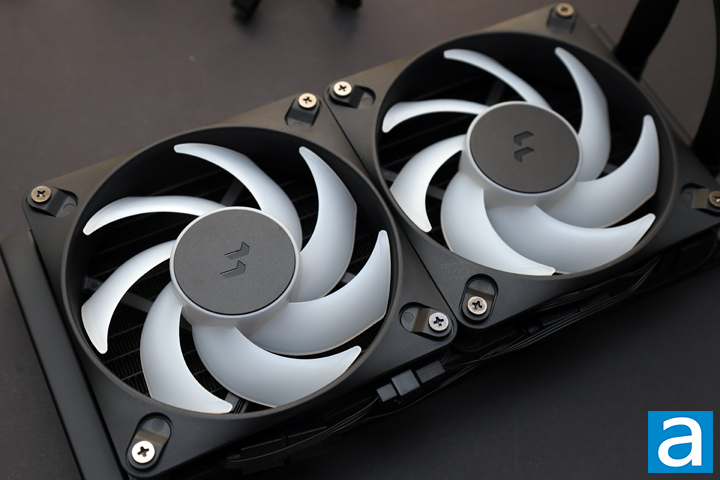
The two fans attached to the radiator are both Fractal Design's Dynamic 3 - 12 RGB LED fans. Out of the box, they are daisy-chained together and connect with standard four-pin PWM and three-pin RGB headers. However, they are also connected to an internal Adjust Pro compatible controller that manages the speed of the fans and the pump through software. As for the fans themselves, they have rifle bearings inside to keep them moving. They operate at a range of 350 to 2200RPM with a maximum airflow of 63.9CFM, maximum air pressure of 2.82mm H2O, and a rated noise level of 31.9dbA. These have a lifespan of 90000 hours, which translates to just over 10 years. As these are RGB LED fans, there are translucent blades with the lighting situated inside the middle hub. There is a total of eight RGB LED lights inside.
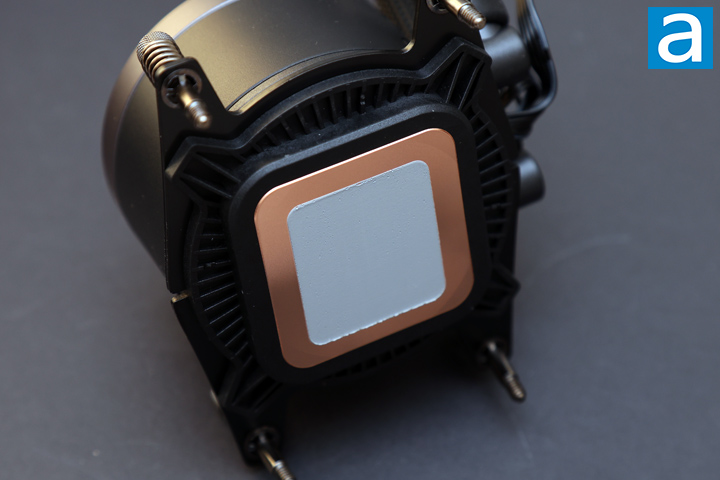
On the other end of the tubes are the combined contact plate, pump, and water block. This unit measures 83mm in length, 71mm in width, and 59mm in height. The top of the block is a clear rotating head that covers more RGB LED lighting underneath. This rotates so you can properly orient the Fractal Design logo underneath. The base contacting the processor is an exposed C1100 copper plate. This C1100 rating means it is 99.9% pure copper. The base is flat and has circular polishing marks. Fractal Design has already applied thermal paste to the bottom so you should be careful that you do not accidentally rub some on other areas prior to installation. The manufacturer has also installed the AMD mounting arms on opposite sides of the block to minimize the installation steps. If you need to swap out the arms, it is held in place with some friction, so you do not need tools to change the mounting bars. Inside, we have a pump operating at 3400 RPM. According to Fractal Design, the pump has a mean time to failure of over 40,000 hours and a maximum pump noise level of 34.8dbA. This is a bit short, especially as it falls just short of the 5-year warranty. The three cables extending from the block are a PWM signal header, USB 2.0 header for software control, and SATA 12V for power.
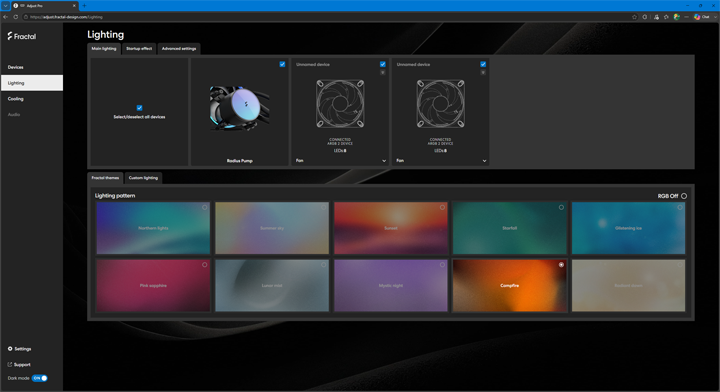
Fractal Design's design principles are clearly on display when it comes to the Adjust Pro software utility. This is accessible via a Chromium-based browser, such as Chrome, Edge, or Opera. From the front page, you can see there is a simple but effective layout that divides everything into logical sections. The first page is the Devices tab that shows all the recognized software. Once you select your software, there are two additional pages, including Lighting and Cooling.
The Lighting page is where you can set the different effects for each lighting portion of the Fractal Design Radius 240 RGB Black. The page is divided into multiple tab screens. In the Main lighting tab, you can select the pump block, and the two fans are each an option, and you can apply the effects to multiple at a time. Underneath, there are secondary tabs to let you choose between Fractal themes and custom colors. The Fractal themes give you eight to choose from, but going into the Custom lighting tab is where you change the different patterns, effects, speeds, and colors. Some patterns let you pick multiple colors as the effects waver between the set. The next primary tab is Startup effect, where users can change the effect when the cooler first turns on. Finally, the Advanced settings tab is where you can make changes to how the lights are recognized, reset the orientation of the lights, or enable Windows Dynamic Lighting to integrate with the operating system.
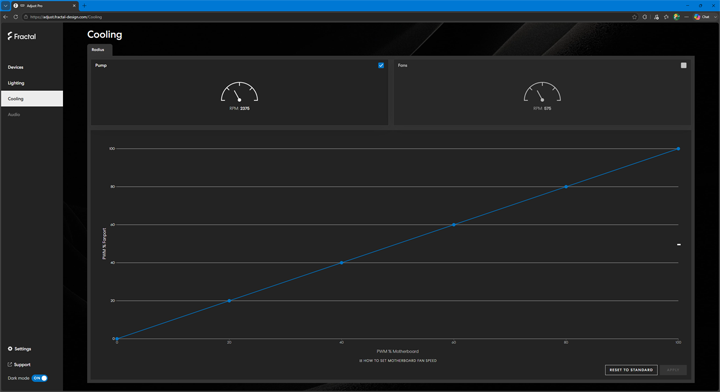
The Cooling page is where you can change the pump and fan curves. By default, this is just a straight slope from 0 to 100%. Fractal Design recommends setting your motherboard to also mirror this curve for the fan header the device is connected to. You can set these curves separately for the pump and the fans. Also, if you make any changes you do not want, you can always reset the curve to the default. Finally, if you do not want to use the browser-based utility, you can also download an offline version to make changes. Overall, the Adjust Pro utility is easy to use and laid out in a logical way.
Page Index
1. Introduction, Packaging, Specifications
2. A Closer Look - Hardware and Software
3. Installation and Test Results
4. Conclusion