Page 4 - Installation and Conclusion

Installing my system into the Fractal Design Summit Ambience Blackout TG is a seamless process because Fractal Design has standardized the way their enclosures are laid out internally. Starting at the back, I slotted the be quiet! Straight Power 12 1200W into the back mounting plate and secured it to the case. With the power supply's 18.0cm length, there is still quite a bit of space in this basement. I continued building by routing all the required cables into place. I really liked using the cable aligners, as they were easy to use while staying secure. I did not end up using any of the drive cages, as I only have M.2 storage options in this system.

In the main area of the Fractal Design Summit Ambience Blackout TG, I installed my ASUS ProArt X870E-Creator Wi-Fi motherboard with an AMD Ryzen 7 9700X mounted inside. Beside it is a set of Crucial Pro Overclocking DDR5-6400 2x16GB memory. The cooler on top of the processor is the Fractal Design Radius 240 RGB Black AIO. Fractal Design specifies a maximum 173mm height for air coolers, which should fit even the tallest air coolers. Afterwards, I mounted the EVGA GeForce RTX 3070 Ti XC3 ULTRA GAMING into the top slot of my motherboard. Its 285.37mm length is still well within the maximum 425mm length and 175mm width that Fractal Design specifies for any video card. With a front radiator, this clearance reduces to 393mm, which should still be enough room for most graphics cards. I also raised up the card with the integrated support bracket. I continued by plugging the necessary cables and front I/O. Otherwise, the necessary routing holes were in accessible spots with rubber grommets that hide cable clutter.

With all cables plugged in, you can see the situation at the back. I used the two front Cable Aligners as much as possible to hold the thicker cables, including my motherboard power. I also secured the CPU power cable in place with the back Velcro straps. As such, I did not need any more cable anchor points. After everything was installed, there was more than enough clearance for everything, and I had no issues putting the side panels back in place. Overall, building inside the Fractal Design Summit Ambience Blackout TG was a satisfying process. I really appreciate all the extra care and attention they put in to make the installation experience pain-free.

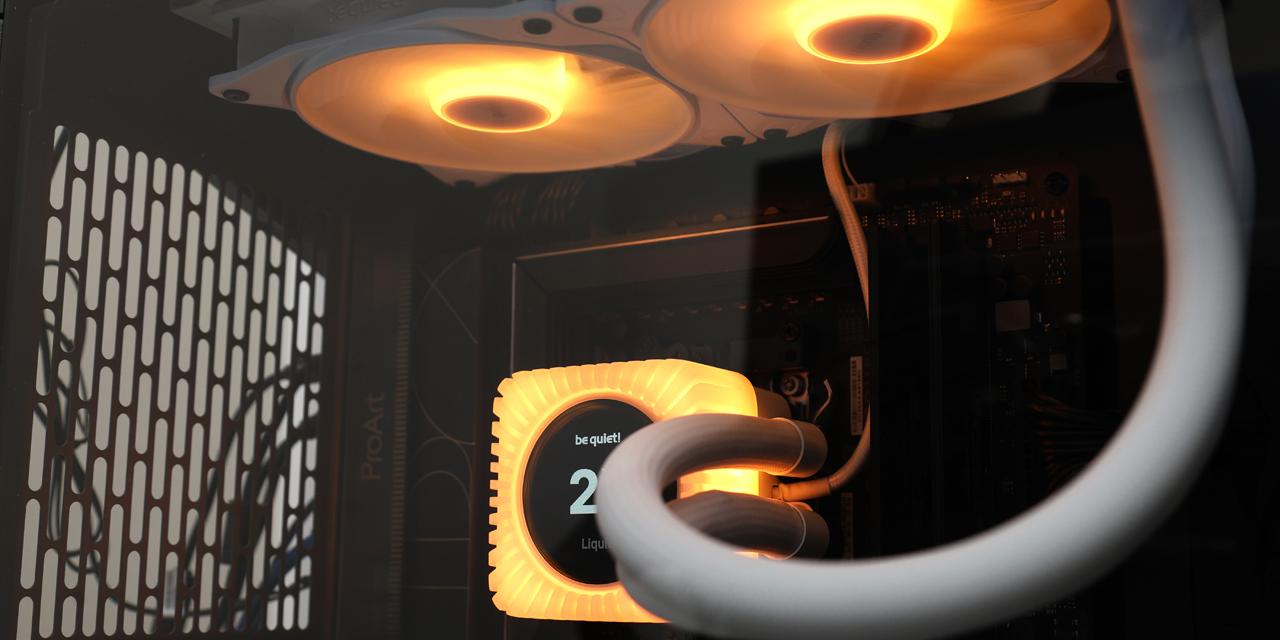
Once plugged in, I powered my system on to hear and see things turned on. The tempered glass tint hides some of the clutter, but illuminated elements of my build, such as the AIO cooler, easily brightened up the rest of the system. I also like the RGB LED lighting around the front frame, which provides a unique glow here.
Using our standard APH Networks sound scale, where 0 represents silence and 10 indicates loudness, the Fractal Design Summit Ambience Blackout TG is a 5.0/10 at full speed and closer to a 3.0/10 when the fans are properly controlled. As for noise suppression, the case does not do anything to keep noise down, as there is no noise dampening material in or around the enclosure. In terms of fan testing, when they were running full blast, I measured the three fans at 44.3dBA at a 50cm distance. A single Momentum 14 PWM fan produced a maximum airflow speed of 14.0km/h, or 8.7mph, directly at the outlet.
-----------------------------------------
Fractal Design has built a reputation for their functional and simple Scandinavian design with intelligent, ease-of-use aspects. As such, this combination makes the Summit Ambience Blackout TG one of the most enjoyable cases to work in. From a physical standpoint, it is a muted appearance, even if you get it in the white version. The use of wood trims and feet adds an air of sophistication. Cooling is a clear objective, which is seen through the multiple perforated panels to allow for unobstructed airflow. Internally, the layout is familiar to other Fractal Design chassis with support for back-connector motherboards. Also, the larger physical size is used wisely to accommodate enough storage drives, a tall CPU cooler, multiple mounting points for fans and radiators, and enough space for longer video cards and power supplies. I appreciate the inclusion of a graphics card support bracket to reduce strain on your motherboard. The installation process is flawless with sufficient cable spacing and properly placed holes for all your needs. The included Cable Aligner claws work well to organize cables while the rubber grommet cover stays in place. The finished product is clean with a subtle but visible lighting ring on our Ambience version of the Summit. My only suggestion to Fractal Design is to add one more Momentum 12 fan at the back for exhaust and some padding between the tempered glass and the side. At the time of the review, the Fractal Design Summit Ambience Blackout TG has the highest MSRP in the Summit family at $200, while the rest of the options for both black or white and tempered glass or solid panels are $170. Regardless of which option you choose, you can rest assured Fractal Design has implemented the most useful and appreciated features that make the Summit lineup an excellent choice.

Fractal Design provided this product to APH Networks for the purposes of evaluation.

APH Recommended Award | APH Networks Review Focus Summary:
8/10 means Definitely a very good product with drawbacks that are not likely going to matter to the end user.
-- Final APH Networks Numeric Rating is 8.0/10
Please note that the APH Networks Numeric Rating system is based off our proprietary guidelines in the Review Focus, and should not be compared to other publications.
The Fractal Design Summit Ambience Blackout TG mid-tower ATX case is a clean enclosure with aspects that are more than just skin deep.
Page Index
1. Introduction, Packaging, Specifications
2. Physical Look - Outside
3. Physical Look - Inside
4. Installation and Conclusion