Page 3 - A Closer Look - Disassembly and Internals

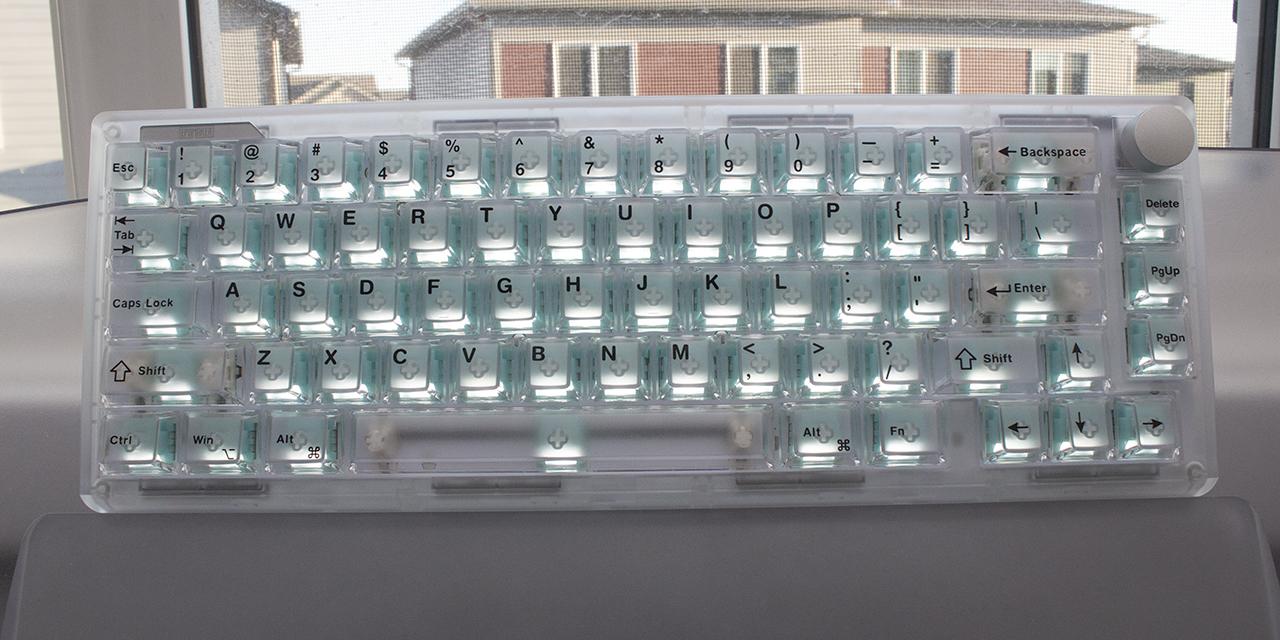
The first step in my disassembly process is looking at the keycaps. For the pink version, these keycaps are double-shot keycaps with a polycarbonate outer shell and an ABS plastic inside to get the pink internal. Polycarbonate keycaps are generally used for its transparent or translucent keycaps, but they are prone to yellowing in sunlight or UV exposure. I personally prefer PBT keycaps because they are more durable and do not shine or fade over time. The walls of the keycaps are still thick otherwise, which can add to better audible feedback, although the TH65 is already quiet.
One difference with these keycaps is the use of side printed legends. These are silk-screen printed, which is a very cost-effective method to add letters. Unfortunately, it is also the least durable and can fade or chip off after some time. Thankfully, they are all in places where fingers do not usually rest on, so durability may be less of an issue. Otherwise, the letters are clear and have an OEM-like style writing. The only oddity is the Backspace key, which is a bit wavy in how it is printed, presumably due to the full height of some letters compared to others. The keycaps use a standard MX stem with a Cherry profile. The Epomaker TH65 offers NKRO for all operating modes, whether wired or wireless. NKRO stands for N-key rollover, which refers to the number of keys scanned independently by the hardware.

Longer keys of the Epomaker TH65, like space bar and Enter, have Cherry stabilizers on each side to ensure even actuation and to prevent the keys from wobbling side-to-side. These are factory lubricated and have a smooth travel. They do not rattle or squeak in operation. The stabilizers are plate-mounted with clips rather than screwed into the PCB. This is usually a cheaper alternative, as plate-mounted stabilizers can lead to more rattling. However, this is not a problem on the TH65. The plate is polycarbonate and flexes under pressure. There are even flex cuts on the plate and the PCB board underneath, which affect how each keystroke sounds and feels. Otherwise, you can also see the gaps near the space bar are filled with a foam insert to reduce any hollow sounds.

A key selling point of the Epomaker TH65 is the switch technology. These use mechanical switches, which consist of a housing base, stem, and spring, and offer varying levels of tactile and audible feedback. More specifically, these are Epomaker Crystal Tactile Silent mechanical switches. They are nonlinear in travel, have an actuation force of 35g, bottoming out at 52g, actuation point of 2.0mm, and total travel of 3.6mm. They have an expected lifespan of fifty million keystrokes. These connect to the PCB with hot swap sockets, and the sockets support both three-pin and five-pin mechanical switches. As such, if you do not like these or an individual one fails, you can swap it out without replacing the entire keyboard.
When we take apart the Epomaker Crystal Tactile Silent switch, we can see all the individual parts. This includes a transparent upper housing and base. A 20mm spring keeps the white stem elevated above the bottom. The switch stem has minimal lateral movement within the housing, which ensures keys do not wobble about. It has an MX stem on the top for easy compatibility. The switches are factory lubricated for a smoother typing feel and sound. The stem is made of POM or polyoxymethylene plastic, which is said to offer a smooth feel. The upper and bottom case is polycarbonate. There is no light diffuser, although the clear body achieves the same purpose.

Taking apart the Epomaker TH65 is a bit tricky due to the use of plastic clips holding the entire structure together. With the right plastic picks, I was able to separate the top and bottom. One thing you do need to do is remove the volume knob at the top and unscrew a nut that keeps the stem underneath in place. You also should make sure the top shell clears the USB port to release the upper part. You should also be careful of the switches at the back, as you will need to align them when you put the top shell back on.
The keyboard deck sits in place with gasket mounts. On the border, you can see extensions on the top and bottom with rubber socks to cushion where the entire board sits. These gaskets should also reduce vibration or unwanted movement transferring from the deck to the rest of the shell. Underneath the deck, there is a pair of 4000mAh batteries and a daughterboard holding a USB Type-C port and the two back switches.

There are many layers inside the Epomaker TH65 to help with feel and sound of the keyboard. On the deck itself, there are four layers of damping material, including a sandwich foam, IXPE switch pad, PET sound dampening pad, and an EPDM socket pad. Underneath, there is a thick gray silicone padding that fills all the hollow areas in the base. All these layers contribute to the overall typing sound and feel by reducing any hollow sound.
Page Index
1. Introduction, Packaging, Specifications
2. A Closer Look - Hardware and Software
3. A Closer Look - Disassembly and Internals
4. Conclusion