Page 2 - A Closer Look - Hardware and Software

The TRYX HOLO features your quintessential 360mm radiator based off the Asetek Gen 7 v2 platform, codenamed "Sigrid", which looks similar to pretty much every all-in-one liquid cooler we have ever covered here at APH Networks. I would not say this is a bad thing, since the distinguishing design elements nowadays are in the water block and included fans, which is basically what TRYX did. The radiator has a steel frame, black in color, and rectangular in shape with rounded corners, measuring in at 394mm long, 120mm wide, and 27mm thick. It is completely symmetrical, and you will find TRYX's branding subtly printed on both sides. The radiator is made out of aluminum. Aluminum has a thermal conductivity of 237 W/mK, which is not as optimal for heat transfer compared to copper at 401 W/mK as it retains more thermal energy. However, it is much lighter; for applications such as a radiator, this is a fair tradeoff in my opinion.
Our above photo shows the TRYX HOLO's water block with the holographic display detached. From the outside, it is slim and flat with an understated matte black finish, but this does not really matter. You buy the TRYX HOLO for the holographic display -- it is in the product name -- and the water block has six plastic attachment points for you to clip the it into place. We will take a closer look at the holographic display in just a moment.

The radiator fins themselves are organized in the classic wave pattern for maximum heat dissipation. Specifically, the TRYX HOLO is designed for CPUs of up to 280W TDP. At the top, two braided hoses connect to the CPU water block for coolant exchange. The tubes are quite flexible and easy to work with. The hinged connection at the CPU water block gives a bit of pivoting flexibility for motherboards and cases with different installation positions. The length of the tubes is 420mm long, which should be long enough for most users.

Here is a closer look at the TRYX HOLO's CPU water block. The pump is rated at 4W typical power supplied from your motherboard's 12V 4-pin PWM header. It has a rated maximum speed of 800 to 2800 RPM. At full speed, the rated noise is 25.3 dB(A). The water block measures 94mm tall, 92mm wide, and 125mm thick with the holographic display attached. These measurements come from the website and differ slightly from what is printed on the box. I physically measured the TRYX HOLO's water block, and it seems the website specifications are correct. Without the holographic display, which itself is about 90mm thick per my measurements, the water block itself is 35mm thick. It features a smooth and flat contact base and should exert good contact with your processor. Thermal paste is pre-applied from the factory, and no additional tube is included. I prefer no pre-applied paste from the factory and including a tube of thermal paste instead.
The cold block is made out of copper. Copper is a good choice as the material, as good heat transfer capabilities are extremely crucial. Copper has a thermal conductivity of 401 W/mK. Since we do not need to worry too much about weight here due to limited size of the pump, it is definitely the right material choice in my opinion. The only thing I would like to see is a nickel-plated contact base on the block. Nickel and nickel-base alloys generally have desirable properties that can withstand corrosive environments and high temperatures, which are especially beneficial for a heat dissipation device. With all this in mind, I found the TRYX HOLO's overall build quality to be excellent, as one would expect from both Asetek and TRYX.

The TRYX FOBR, a trio of 120mm 4-pin PWM fans integrated into a single frame, comes with the HOLO. These fans function as a single unit, and needs only one 4-pin PWM and one ARGB connector to work. These are silent lubricating fluid, or SLF, silent bearing fans with a rated MTBF of 50,000 hours, featuring ten PBT blades on each impeller held on to the frame by four arms. These fans are rated at 500 to 2100 RPM, 70.8 CFM airflow, 2.98 mmH2O static pressure, 2.04W power consumption, and up to 29.2dB(A) of noise.
The ARGB LEDs are located on the fan frame tracing a line around the fans and inside the impeller center circumference for a halo effect on the opposite side of the above photo, which is the exposed side. This is a rather unique design, as conventional ARGB LED fans typically illuminate translucent blades. Instead, the HOLO is basically all solid black.

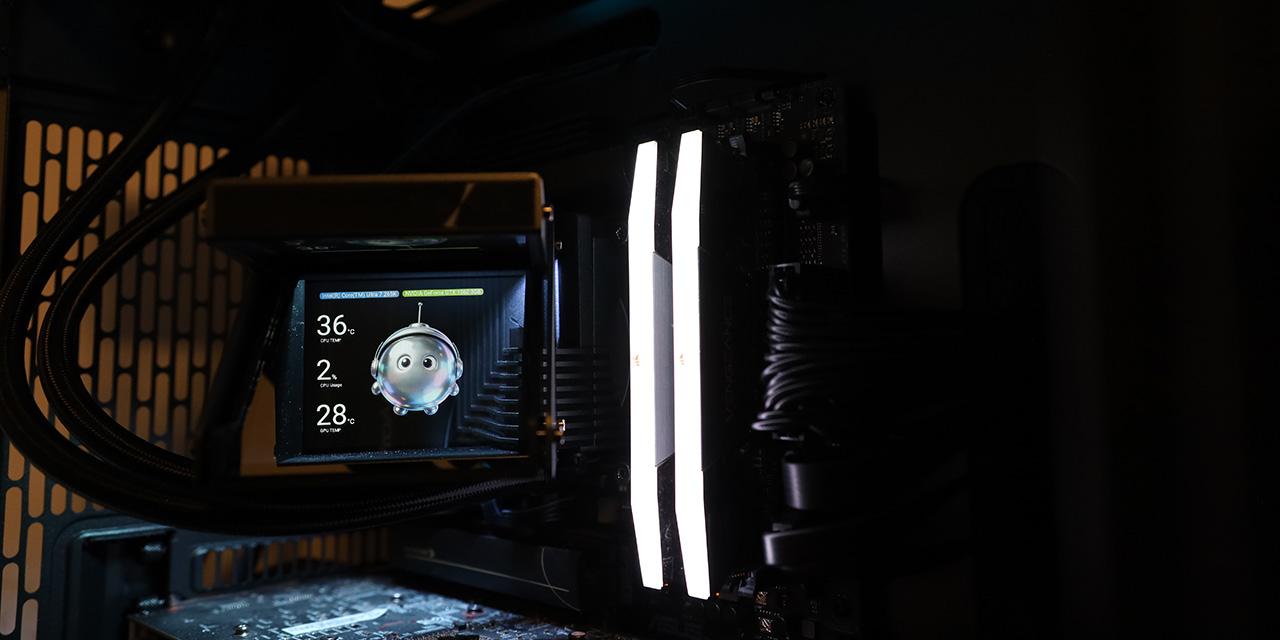
The highlight of the TRYX HOLO is its holographic display block. At first, you may think its 640x480 resolution IPS display is a nice touch, if not uncommon in 2026, but they really made an effort here to bring it up a level. As its name suggests, the holographic display block's cold-to-touch aluminum alloy housing features a clear reflector lens at 45° to the screen at the top to create images, an effect known as Pepper’s Ghost. This allows images to be shown as a hologram with real depth and transparency inside the optical chamber. It is powered by an internal USB 2.0 connection to your motherboard.
The display block has a rotatable hinge that can be adjusted 60° towards the front of the chassis, which is a nice touch, since the viewing angle can be calibrated to fit to your viewing position relative to your desktop PC. We will see how the screen actually looks in the real world on the next page.

The above screenshot shows the TRYX HOLO's configuration in the company's KANALI software. Those who are familiar with TRYX's products will feel right at home. There are two tabs for configuring the HOLO. The first tab shown above is Preset, which has preset animations and system information display selections. You can display up to three concurrent items from a menu of eleven like CPU temperature and memory utilization, as shown in the above screenshot. The second tab is Customization, where you can upload your own images. The images are stored on the device. It works well enough, and you can use it with the same system information display selections. However, it has a completely different layout, which seems strange from a GUI design perspective. Having consistent interface design elements between them will be more intuitive to use.
One major usability issue I had with KANALI is application hang resulting in keystroke buffering once every 10 seconds. This is purely a software issue, not a DPC latency spike, because unplugging the display block's USB cable did not help. However, stopping KANALI immediately fixed the problem. This is quite annoying and affects day-to-day use, so fixing this problem is important. It seems KANALI itself is not exactly an efficiently made program either, as its installed size is a whopping 1.1GB.
I also found a few language bugs in KANALI. First, the default installation interface language is Chinese, which requires you to manually select English. I can read Chinese just fine, but I do not assume the majority of the users will be able to, especially in the North American market. Second, the update prompt on the left, shown in the above screenshot, is shown in both Chinese and English, despite everything else running in English. Going with the selected language is sufficient. Third, if you try to uninstall the application, the prompt notifying you the program is running and cannot be uninstalled is in Chinese, which cannot be changed to English. Lastly, there are some font inconsistencies in the app, shown above.
Page Index
1. Introduction, Packaging, Specifications
2. A Closer Look - Hardware and Software
3. Installation and Test Results
4. Conclusion