Page 3 - Installation and Test Results

Before we start, let me just first acknowledge that the TRYX HOLO installation into my Fractal Design Define One Dark TG is technically not a proper installation. The Define One does not officially support 360mm radiators at the top. The opening is long enough, but it will not fit under the top panel. As such, I just installed it on top of the case for testing, which gives a fairer comparison against the Noctua NL-LC1-24.
On the install, TRYX packaged each set of installation accessories individually for excellent organization. Along with the clear and concise setup poster, setup was a breeze. The radiator configuration and set up process will probably not require a manual for most builders. The single frame FOBR 3-in-1 cooling fans are attached by four Philips head screws each. You can power all three fans off a single motherboard header. The same goes for the RGB LED lighting. Mounting the radiator to your chassis requires more screws just like any other all-in-one water cooler.

TRYX's mounting system on the Intel platform utilizes a proprietary backplate supplied by TRYX that installs over the stock plate for optimal weight distribution. To start, align the female threads on the supplied backplate with the heatsink mounting holes near the CPU socket, and flip the motherboard around.
Four double-threaded socket spaces are included for attaching the water block to the motherboard. First, screw the spacers designed for your CPU on to each female thread on the backplate. Next, align the water block over the spacer screw threads. The thermal paste is already pre-applied from the factory. Four Philips head socket screw caps are included to secure the water block on. Once that is done, connect the rest of the cables, and your system will be ready to go.

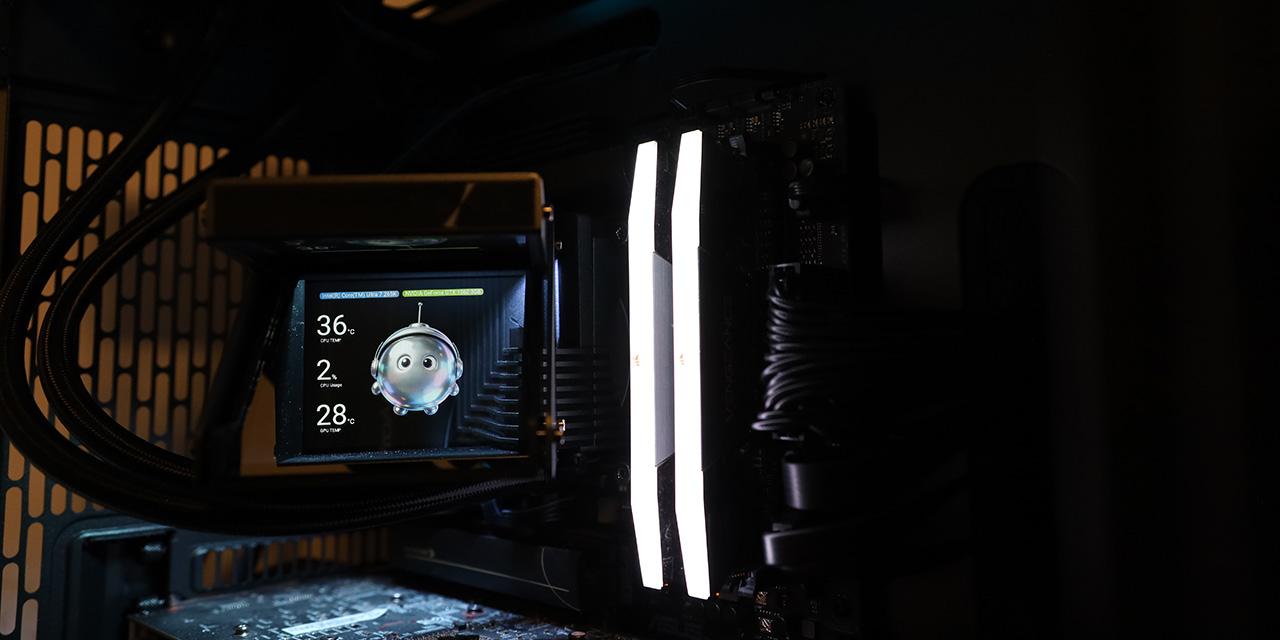
The holographic display block is clipped onto the water block via six plastic attachment points. The attachment points come in a symmetrical layout, so you can always keep the block upright even if the water block is upside-down. To power up and configure its display, all you need to do is connect it to your motherboard's internal USB 2.0 header.
All in all, the installation process for the TRYX HOLO was very straightforward.

The screen works very well -- and the ability to tilt it up to 60° towards the front of the chassis is essential for a proper view after installation.
Our test configurations are as follows:
CPU: Intel Core Ultra 7 265K
Motherboard: ASUS ProArt Z890-Creator WiFi
RAM: Corsair Vengeance RGB DDR5-8400 2x24GB
Graphics: ASUS Dual GeForce GTX 1060 3GB
Chassis: Fractal Design Define One Dark TG
Storage: Crucial T710 2TB, Crucial T500 2TB
Power: Seasonic PRIME TX-1300 ATX 3.0 1300W
Operating System: Microsoft Windows 11 Pro
Compared hardware:
- TRYX HOLO
- Noctua NH-D15 G2 chromax.black (Single Fan)
- Noctua NH-D15 G2 chromax.black (Dual Fan)
- Noctua NH-D15 G2 HBC (Single Fan)
- Noctua NH-D15 G2 HBC (Dual Fan)
- Noctua NL-LC1-24 All-in-One Liquid Cooler
All tests were run on our custom-built computer to best reflect real life performance. The computer remained in the same location in the same room throughout all tests. The room temperature in our testing lab was around 21c. Stock thermal paste respective to all coolers were used to rate its performance. All pastes were given a proper amount of time for them to fully settle. The fans on all heatsinks were directly connected to the motherboard's 4-pin connector. The computer was turned on and idled for at least one hour for the idling tests. High CPU load results were obtained using the Prime95 in-place small FFTs test with maximum worker threads for a minimum of ten minutes or until the temperature was deemed stable.


As you can see from our charts above, the TRYX HOLO performed very well in our idle test. The NL-LC1-24 and NH-D15 G2 series are probably the best AIO and air coolers available on the market today, respectively, so testing the HOLO against the best coolers on the market gives us a good reference as to where TRYX's AIO stands. There was 3c to 4c difference between the HOLO and Noctua models in their varying configurations, which was impressive, but there is only so much you can do here, as the processor in its idle state is not generating a whole lot of heat to begin with. Since the idle test is not a good indicator of a CPU cooler's true performance potential, let us look ahead into the load test results.
In the load test, the test processor, my Intel Core Ultra 7 265K, generates quite a bit of heat, translating to a very reasonable load to the cooler. The HOLO was 4c higher than the NL-LC1-24, which was surprising, considering the Noctua is a 240mm cooler, whereas the HOLO is a 360mm model. Compared to Noctua's air coolers, the TRYX was only 2c lower than the NH-D15 G2 chromax.black and 3c lower than the NH-D15 G2 HBC in their fully loaded dual fan configuration. This means while the TRYX HOLO's performance was more than acceptable, the best in the industry still gaps it by a decent margin with two-thirds the radiator size. No thermal throttling was noticed on my Core Ultra 7 265K using the HOLO.

The airflow test measures the air speed at the outlet of the cooler. The purpose of this test is to see the airflow and static pressure of the installed fans, and quantitatively measure how they interact with the design of the radiator. Higher airflow is better, as it indicates how well the combination of static pressure, airflow, and aerodynamics practically translates to moving heat from metal to the surrounding air.
The outlet air speed was 10.0km/h, or 6.2mph. The HOLO has a 27mm thick radiator, and the FOBR with three 120mm fans spinning at 2100 RPM each was reasonably effective in moving air quickly through it, although not quite as good as the NF-A12x25 G2 PWM Sx2-PP at 1800 RPM with a 0.3mm thicker radiator.

I measured the noise output of the FOBR fans and HOLO pump running at maximum speed and compared it against the NL-LC1-24 and NH-D15 G2 series. As it can be seen in the graph above, the HOLO was quieter than the NH-D15 G2 series in dual fan configuration, but significantly louder than the NL-LC1-24 with two 120mm fans at full speed. This means the NL-LC1-24 was able to cool better with less noise using a radiator two-thirds the size as the TRYX HOLO.
While this is very subjective, I am quite a picky person on noise. On a scale from 0 to 10 where 0 is silent and 10 is the loudest, I would rate the TRYX HOLO with two fans and pump running at full speed to be at 5.0/10 acoustically. However, when my computer is idling or under nominal loads -- where it is spending most of the time doing -- the slowed down PWM fans and pump was almost inaudible at 1.0/10. The pump was basically completely smooth and silent with no perceivable vibration noise, and so were the fans. Overall, in terms of sound emissions, the TRYX HOLO remains an excellent choice for quiet PC enthusiasts.
Page Index
1. Introduction, Packaging, Specifications
2. A Closer Look - Hardware and Software
3. Installation and Test Results
4. Conclusion