Page 2 - A Closer Look - Hardware and Software
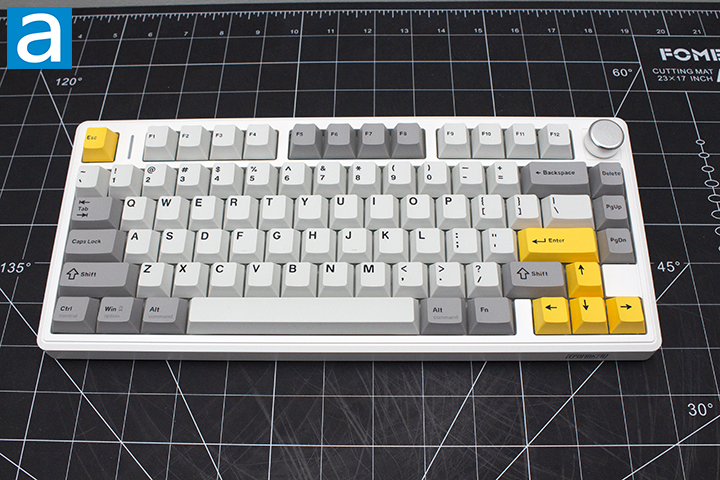
The Epomaker TH80 V2 is a standard 75% keyboard when it comes to appearance. Compared to the TH80 V2 Pro, the non-Pro version we have here today subtracts an LCD screen and features a 20% smaller battery. It is important to note the TH80 V2 comes in three different variations, including black and white. All models are made out of ABS plastic. Our particular model is the white variant. Epomaker opted to use a plastic case with double shot PBT plastic, which has a consistent appearance across the board. The keycap design fits well with the case, being primarily white, black, and gray with yellow accents. The TH80 V2 features a standard high-bezel design, keeping the keycaps almost level with the frame of the keyboard. Epomaker chose to place minimal branding on this keyboard, with it only on the front right section. I personally appreciate this as someone who likes minimal branding. The knob is very smooth to use and operates the volume as you may expect. For those unfamiliar with knobs on keyboards, manufacturers commonly use knobs as a volume dial. The TH80 V2 does not come with a wrist rest or adjustable feet, so you will have to adapt to the typing angle, which I personally found to be quite good. I found no issues with typing on this keyboard, but your experience may vary.
The Epomaker TH80 V2 measures in at 323mm length, 141mm width, and 44mm height according to Epomaker's manufacturer page. I believe these measurements do not factor in keycaps and only measure the front of the case. Given this design, this is quite standard for a 75% design. This size also makes sense, given the layout. In terms of mass, this weighs in at 900g, not including the detachable cord. This weight makes sense for a wireless plastic keyboard. Going into the build quality, the top deck shows no flex when pushing between the small gaps of the keyboard as you may expect, given the limited space between keys. When pushing into the keys, there is a good amount of flex provided from the gasket structure. We will expand more on this on the next page. I was able to twist the keyboard slightly, and it only bent to a reasonable extent given the material. I was quite satisfied with the build quality, but I do have a preference for metal cases.
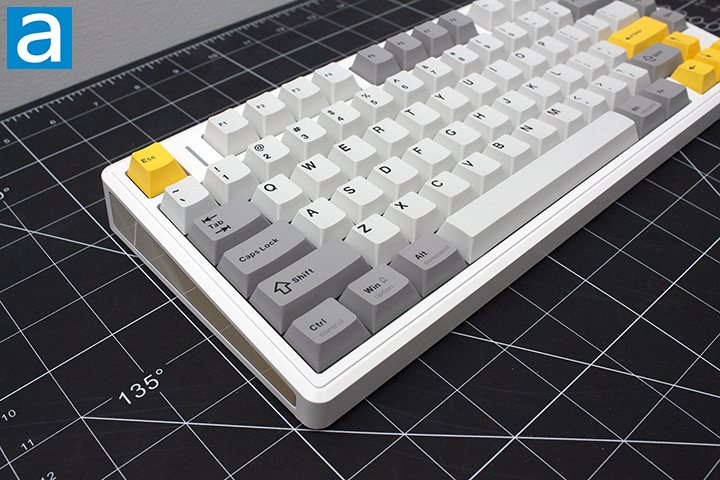
The Epomaker TH80 V2 comes in a 75% QWERTY ANSI layout. The standard 75% layout typically has eighty-two to eighty-four keys depending on whether or not we are using a split or divider between the arrow key cluster or not. A split helps to separate the arrow keys from the rest of the main keys by adjusting the bottom row, making for a less cluttered appearance. The TH80 V2 uses a split in addition to a knob, reducing the number of keys to seventy-nine. The ANSI layout is the standard American layout, which uses a single row Enter key, as seen in some of the earlier images. The keyboard uses a standard bottom row for its key spacing. For those who do not know, 1U standard for a single unit, meaning a 1.25U keycap is 1.25 times wider than a regular one. As such, all of the bottom row keys aside from the space bar and arrow keys are 1.25U. For the average user, the typing experience will feel relatively the same, as the only difference is the smaller right shift and some missing right modifier keys.
The Epomaker TH80 V2 has full N-key rollover, meaning every single key pressed will register even if they are all pressed simultaneously. This means there will be no ghosting issues, where some keys may not be registered. Gamers and fast typists who have fast actions per minute or words per minute will benefit from this, as it will allow more keys to be recognized at the same time. In reality, people usually only need 6-key rollover, so the addition of N-key rollover is nice for extremely fast typists who can reach about 250 words per minute. The inclusion of N-key rollover has become quite standard among keyboards, so this should not come as a surprise the TH80 V2 has it as well.
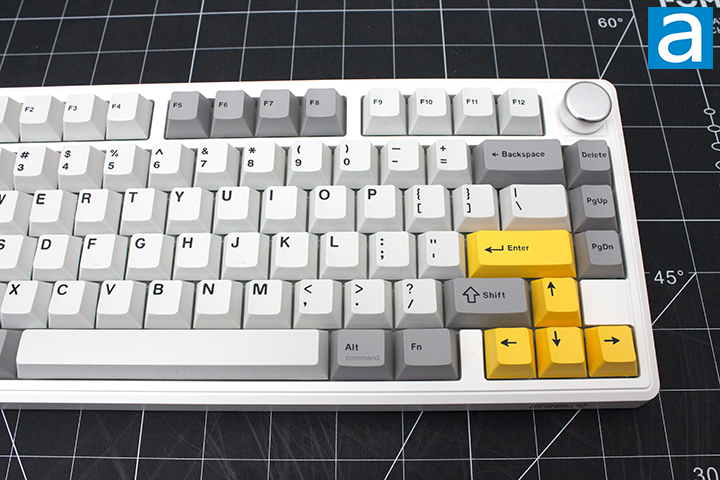
The secondary functions can be accessed by holding down the Fn key between the right Alt and Ctrl keys before pressing the indicated key. We will start with regular key combinations then move to lighting controls.
There are not too many controls, as most of the keyboard customization has been allocated to Epomaker’s web software. Going over the basics, holding down Esc for 3 seconds will reset the keyboard. The Q, W, and E keys will toggle to one of the three Bluetooth modes. The R key will use the 2.4GHz mode. To check the battery, you can use the Enter key.
Going over the lighting, Backspace will toggle on and off the backlights. Backslash and Delete will toggle the effects and colors in respective order. The Up and Down arrow keys will control the brightness, while Left and Right will control speed. The Opening Square Bracket key will toggle the indicator light effect, while the Closing Square Bracket will toggle the color. The indicator light bar can be found beside the Esc key. The right Shift and Question Mark key will toggle sidelight effects and colors, in that respective order.
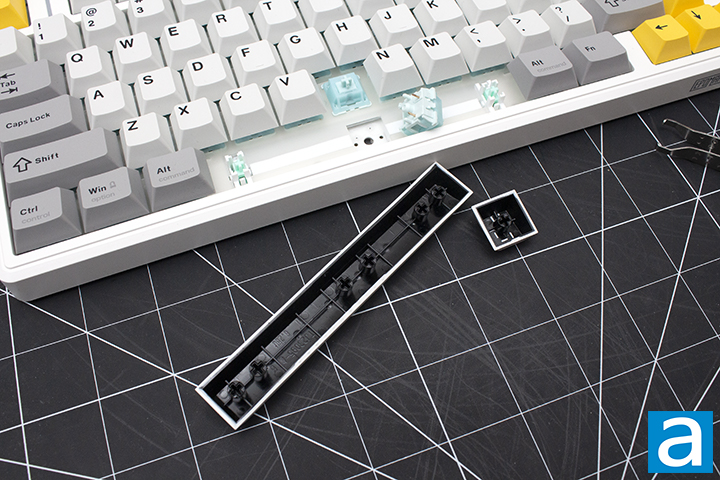
As for the keycaps, these are made out of PBT plastic or polybutylene terephthalate, as previously mentioned. I personally prefer PBT, as the material is harder and resists shining better. The lettering is printed out on the top of the keycaps using a double shot process, which is created by using a dual-injection molding process, where two separate layers of molten plastic are injected into a mold and fused. Double shot is highly durable and sought after. The coloring and legending are sharp. In terms of warp and shine, I do not think there will be much issue, as the textured design will likely overshadow it. The font used is quite sharp and consistent with the rest of the board, which is something I find nice. Underneath the keycaps, you can see the typical MX stem. This means you can replace the keycaps with another set. This keyboard uses south-facing lights, which is good, as there will be no interference problems using Cherry profile keycaps. In regard to thickness, they are about 1.4mm thick, which is really good. The significance of the thickness of a keycap is important for the feel and pitch. To keep things simple, thicker ones have more depth and produce a deeper thock, while thinner ones produce a higher pitch sound.
The Epomaker TH80 V2 features the Epomaker Cream Jade switches. These switches are linear by nature with a smooth travel from beginning to end. The Cream Jade switches have a travel of 3.6mm due to it having a longer pole on the stem. This is a slight alteration to the standard travel specifications for many mechanical switches opting for a slightly shorter total travel. The total force required to actuate is roughly 45g for operating. These switches have a rated lifespan of 50 million keystrokes, which is quite long. The TH80 V2 is also hot-swappable, meaning you can swap these at any time if they start failing.
Even with these specifications, it is quite hard to picture what these switches actually feel like, so I will try my best to explain. For a stock switch, the Epomaker Cream Jade switches are acceptable. The linear characteristic gives a smooth travel. If you have used a standard mechanical keyboard before, it will feel quite normal. The Cream Jade switches offer good value.
Moving on to stabilizers, we have plate-mount Cherry stabilizers. If you are unfamiliar, there are two main designs of stabilizers, which are Cherry and Costar. In both cases, these are used to maintain balance in the longer keys and stabilize them, as the name implies. Cherry ones will have stems matching the bottom of most keycaps, while Costar has a wire hooked into a hoop on the keycaps. The main issue with Costar stabilizers is how they are a rattly mess, and there is practically nothing you can do about it. Cherry stabilizers also rattle, but there are ways to reduce the sound, making it the superior choice.
There is also a large difference between plate mount and PCB mount stabilizers. Generally, there are three types of mounting method, including plate mounting, screw-in, and clip-in. The latter two are PCB-mounted. I personally prefer screw-in stabilizers, as they stay in place the best out of the three options, followed by clip-in. Given the keyboard’s design, plate mount stabilizers make a lot of sense, as they are the easiest to maintain and remove. The ease has a caveat that can also easily fall out. With a small bit of knowledge, anyone should be able to fit them back into place rather easily. With that being said, the included stabilizers are tuned quite well with no apparent rattle.
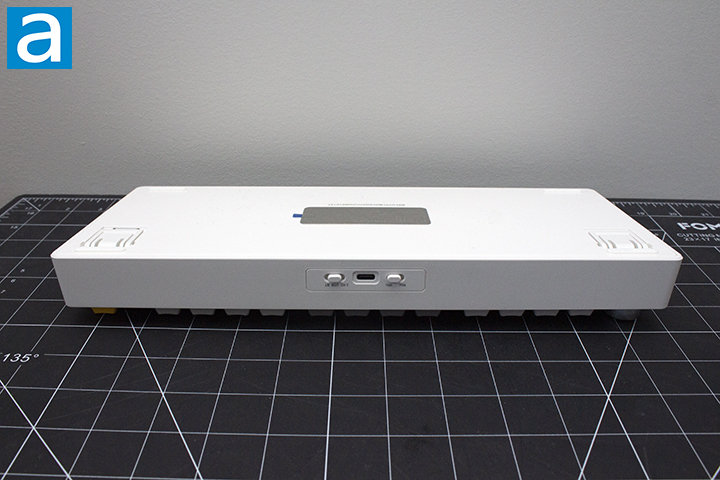
Taking a peek at the bottom of the keyboard, we have four rubber feet surrounding a metal weight. The feet on the bottom side are average in size and keep the keyboard in place. There should be no noticeable unintentional sliding. There is no cable raceway to manage cables, as the Epomaker TH80 V2 uses a detachable cable design. This is my personal preference, as it makes swapping between keyboards easier. The included 1.8m USB Type-C cable is greatly appreciated. The TH80 V2 also includes a 2.4GHz dongle if you want a good wireless connection. As for the battery, we have a 8000mAh battery, which should last for over 200 hours with lights on and 40 hours with lights off according to Epomaker. Do note that your mileage may vary based on how active your keyboard usage is, as Epomaker has implemented an automatic sleep function, which will turn off all lights until any key is actuated. The implementation of automatic sleep is quite good, as I personally would not notice the keyboard go to sleep if it was not for the lights.
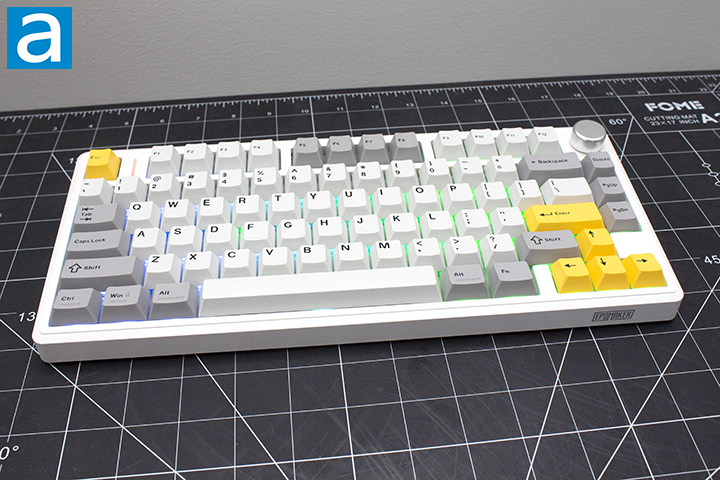
After doing my thorough inspection, I put the Epomaker TH80 V2 to use. As these Epomaker Cream Jade switches are linear in nature, I made sure to account for this in the typing test. My first observation was the nice and solid bottom out. I personally really enjoy the sound of long pole switches, as I find the bottom out to be cleaner and more cohesive. For a deeper explanation, the bottom out sound for a long pole switch is purely through the bottom housing and the bottom of the pole, creating a singular location of contact. In terms of the Cream Jade switches themselves, they do a good job and offer a solid sound for the price.
The Cream Jade switches are factory lubricated, creating for a smooth experience. As someone who generally enjoys long pole linear switches, I had a great experience. The travel distance and actuation point were both good, and I had no issues whatsoever. A sound test of the Epomaker TH80 V2 can be found above. I found the sound profile to be quite clacky.
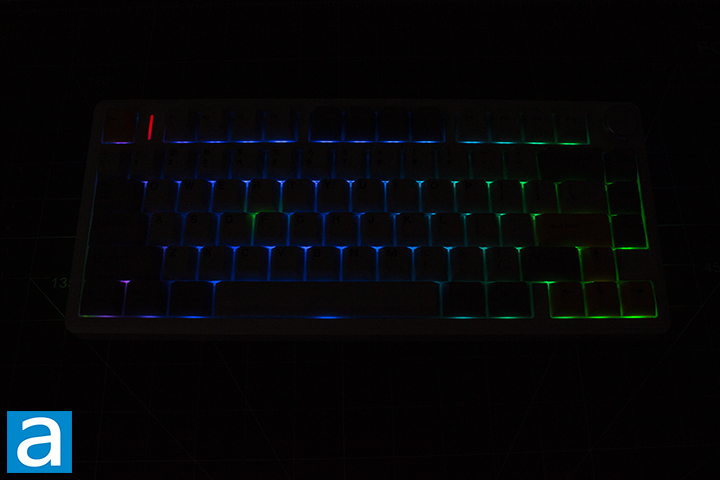
I would say the Epomaker TH80 V2 definitely has good lighting effects. The light shines around the keycaps making for a nice glow effect. The appearance is very cohesive and creates a unique look. I had no issue with configuring it using Epomaker’s web software. I do not think any users will have any issues in regard to this, as this software is very accessible and does not even require the user to download anything. Twenty-two different lighting variations can be toggled through by using the software I will talk about in a moment.
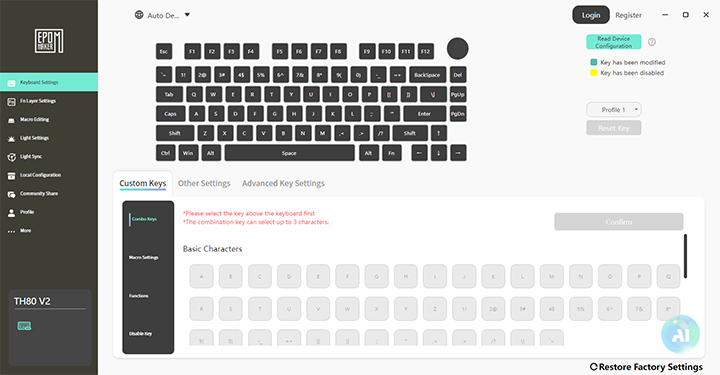
In terms of software, we have Epomaker Driver v4. As someone who uses VIA quite often, the web software shares a lot of the same features. The individual tabs are Keyboard Settings, Fn Layer Settings, Macro Editing, Light Settings, Light Sync, Local Configuration, Community Share, Profile, and More.
Starting with Keyboard Settings, you can simply customize what each key does. Fn Layer Settings allows the user to adjust the secondary function of each key. Macro Editing allows the user to create macros as you may expect. Light Settings will probably be the most used tab, allowing the user to customize the backlighting of the keyboard. There are separate tabs that allow you to also customize the side lights. Light Sync allows the user to sync the lighting effects to the sound playing from your device. Local Configurations is where you can load saved profiles. Community Share is a place for Epomaker users to share their custom designs. You can login with your profile to partake in the community sharing. The More tab is for keeping Epomaker Driver updated.
Page Index
1. Introduction, Packaging, Specifications
2. A Closer Look - Hardware and Software
3. A Closer Look - Disassembly and Internals
4. Conclusion