By: Aaron Lai
July 24, 2026
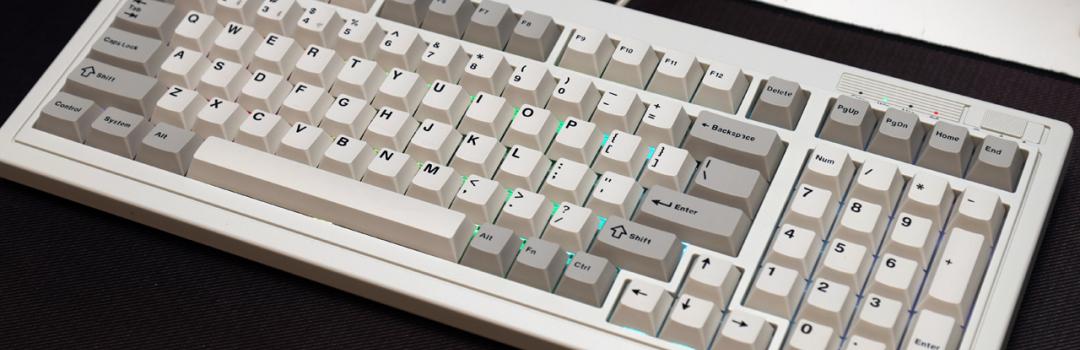
A couple of weeks ago, one of the national telecommunications companies in Canada, Rogers, announced the shutdown and layoffs of several radio stations, including two in Calgary. One of the radio stations affected was Sportsnet 960 The FAN. This radio station provided broadcasts of many local sports teams, including three Calgary hockey teams. I know I have been a listener for a long time, dating back to junior high when I woke up to the various radio personalities. I did not always agree with these people, but I appreciated listening to various opinions. This was before the maturation of videos and podcasts, so it was one of the few forums I had. I remember listening intently on big days in the NHL like trade deadlines, entry drafts, and free agency to get the latest news. As such, this station going off the air was sad in both the present sense as well as for the past for nostalgia. While I hope to see audio-only options for listening to games in the future, it was only a matter of time. However, there are many products that still let us reminisce in nostalgia. For example, earlier in the year, we had the SilverStone FLP02, which was a case that fully showed the retro vibes while keeping a modern interior. We also had the Epomaker RT82 keyboard. Today, we have another retro-based product in the form of the Keychron R5. However, what modern niceties will we see? Is it a worthy addition in 2026? Let us read on to find out!
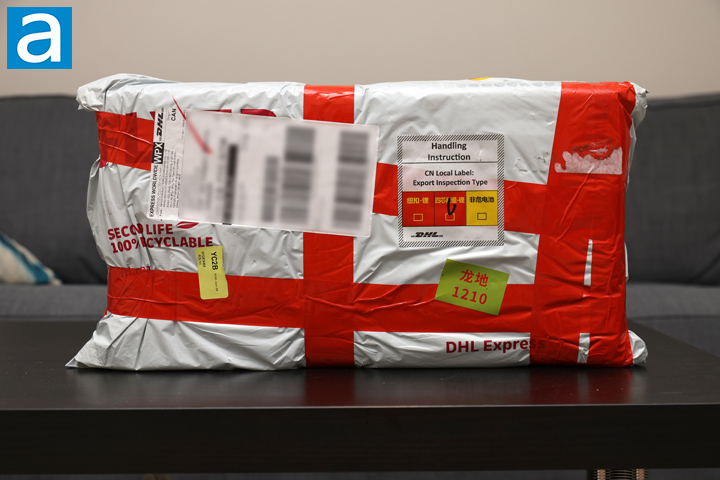
Our review unit of the Keychron R5 arrived from their headquarters based in Shunde, Guangdong, China. It was shipped via DHL International Express and came to our APH Networks location, in Calgary, Alberta, Canada. The package was stored in a DHL-branded poly mailer shipping bag and filled with several layers of bubble wrap to cushion the R5 from any blows. There was a dent or two on the retail box inside, but otherwise there was nothing to be too concerned about.
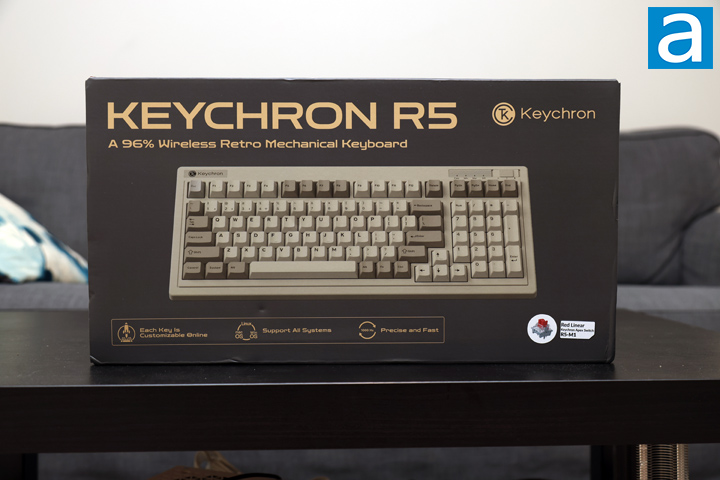
As for the retail box of the Keychron R5, it has a standard look that leans into the retro design. It is a dark tan box with gold accents for the font. The top shows the product name along with a tagline of "A 96% Wireless Retro Mechanical Keyboard", with the Keychron logo to the right side. In the middle, there is a scaled down photo of the keyboard itself in all of its retro glory. Underneath, there are three key features including a customizable key layout, support for Windows, Mac, and Linux operating systems, and a 1000Hz polling rate. We also can see Keychron sent us their Apex Red switches, but we will look into these more later on. Keychron does not advertise the Apex switches with the R5, but it is possible there will be a new set of SKUs for this.
Before we continue on, I have grabbed the specifications from the manufacturer's website for your viewing pleasure:
SPECIFICATION
Number of Keys: 99 (96%)
Switches: Keychron Super mechanical
Switch Face: South-facing
Number of Multimedia Keys: 12
Frame Material: ABS
Keycap Material: Double-shot PBT
Keycap Profile: Cherry
Layout: ANSI
Polling Rate (2.4GHz and Wired Mode): 1000Hz
Polling Rate (BT Mode): 125Hz
N-Key Rollover (NKRO): Yes for both wireless and wired modes
CONNECTIVITY AND POWER
Backlit: 22 types of RGB backlight options plus endless possibilities
Battery: 4000 mAh rechargeable li-polymer battery
Wireless Working Time (Backlit off): Around 310 hours (Lab test result may vary by actual use)
Wireless Working Time (RGB): Around 45 hours (Lowest brightness)
Connection: 2.4 GHz / Bluetooth / Type-C wired
Bluetooth version: 5.3
Bluetooth Device Name: Keychron R5
Compatible System: macOS / Windows / Linux
PHYSICAL UNIT
Dimension (Plastic frame version): 399.43 x 164.78 mm (15.73 x 6.49")
Weight: 1125 g / 2.48 lbs
Height incl. keycap (front): 32.2 mm (1.27")
Height incl. keycap (rear): 39.1 mm (1.54")
Typing Angle: 2.37º and 5.33º
MCU: ARM Cortex-M4 32-bit STM32F402 (256KB Flash)
Operating Environment: -10 to 50℃
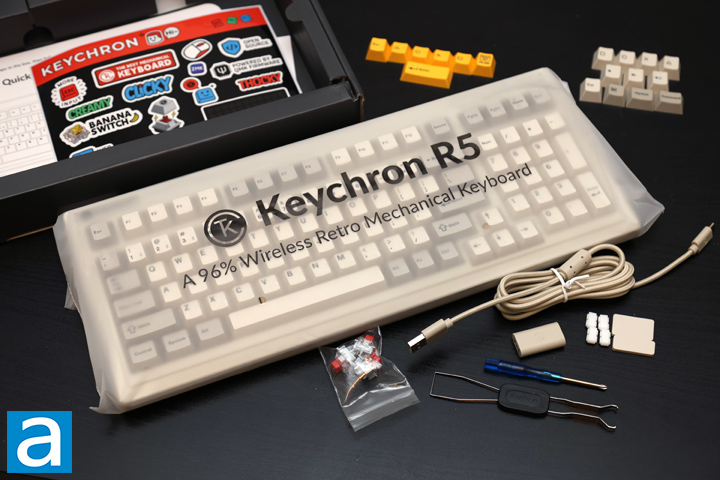
Out of the box, everything can be found in separate plastic bags. First, there is the keyboard in a translucent plastic bag with the R5 marking on it. Under the cardboard divider, there is a color-matching USB Type-C to Type-A cable measuring 1.8m in length and a USB Type-A to Type-C wireless extender. There are some tools included such as a small screwdriver and a combination keycap and switch puller. Next, we have two replacement silicone feet for the underside of the keyboard, and a set of eight plate gasket silicone socks for inside. There are two sets of extra keycaps in the retro gray, tan, and yellow colors. In a smaller bag, there are three more Keychron Apex switches. Finally, there is a quick start guide and a small Keychron sticker sheet.
Page Index
1. Introduction, Packaging, Specifications
2. A Closer Look - Hardware and Software
3. A Closer Look - Disassembly and Internals
4. Conclusion