Page 3 - A Closer Look - Disassembly and Internals
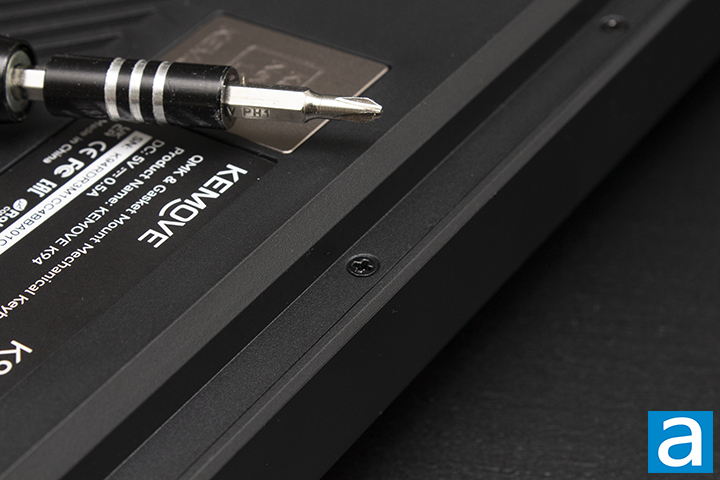
The disassembly process of the KEMOVE K94 is very simple. I started off with removing the knob so that it would not get in the way with the rest of my disassembly. On the back of the keyboard, there are six screws all located on the top side of the keyboard. This was interesting, as typically, you would expect it to be around the whole frame. After removing the screws, you can unclip the top side of the keyboard and slowly make your way around to the bottom. After removing the top frame, you can disconnect the ribbon cables from the screen and daughterboard to isolate the PCB enclosure. Voila! You have successfully disassembled the K94. If you want to take apart the PCB assembly, you will have to remove all the keycaps and switches. This disassembly process was quite simple for anyone to take apart. Upon exposing the interior design, I was quite satisfied with the design. There is a good amount of foam usage to fill the case.
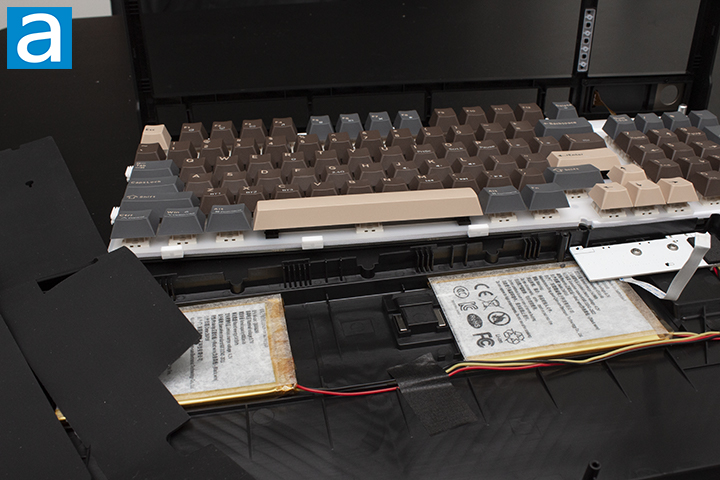
The interior design was quite standard in my opinion. Taking a quick look, the design is very simple. The KEMOVE K94 is a gasket mount keyboard. The installation is probably the most common modern mounting style, being used in many premium keyboards. The design uses gaskets on the edge of the PCB to hold in the enclosure within the case. The gasket structure provides a nice bounce when typing.
The foam in the case is fully utilized. KEMOVE does not hold back when it comes to foam in this case, as inside, you will find five layers of sound material, consisting of latex foam, IXPE switch foam, PET sound pad, bottom pad, and a silicone pad. Foam in keyboards are quite important, so having access to this much dampening material is excellent. To explain simply, the more foam you use, the more muted your keyboard will be for the most part. Underneath the PCB, we have noise absorbing foam paired with bottom silicone to fill the space. The use of PET sound enhancement pads has also become more common in keyboards. Switch pads are a strange usage of foam that I personally find to be a cheat code to premium sound with no science to back up my claim. These five layers of sound-optimizing material should help to benefit in the sound of the keyboard.
The plate material used inside of the KEMOVE K94 is polycarbonate or PC. PC is a very popular choice when looking for a deeper sound type for your keyboard. This plate material will provide a deeper tone of sound, and in this case, an ever so slightly deeper “clack”. As an independent factor in the keyboard, the plate properties that affect its sound include its stiffness and density. To be more specific, we want the specific modulus or specific thickness, which is also known as the stiffness-to-weight ratio. The lower this number is, the more “thocky” this material will be for a keyboard.
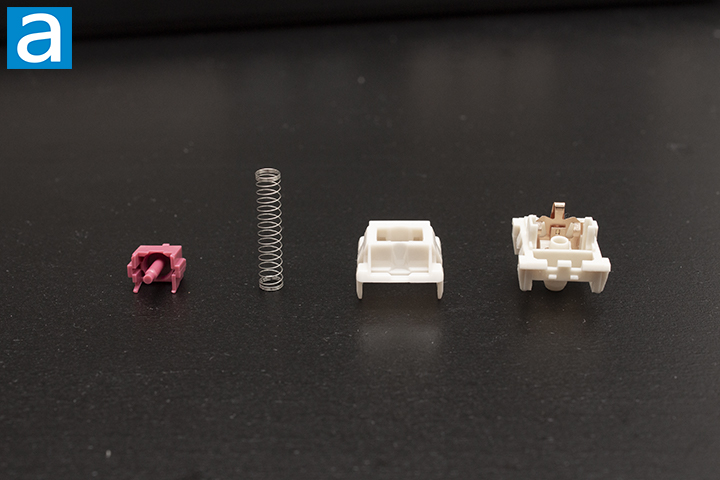
Upon closer inspection of the Jixian Blueberry switches, I would love to provide you with more detail in the makeup of the switch. Unfortunately, there is little to no information about the Jixian Blueberry switches on the Internet. What I can tell you is based on my own observations, the spring is on the average end at 15mm.
Page Index
1. Introduction, Packaging, Specifications
2. A Closer Look - Hardware and Software
3. A Closer Look - Disassembly and Internals
4. Conclusion