By: Hai Wang
May 29, 2026
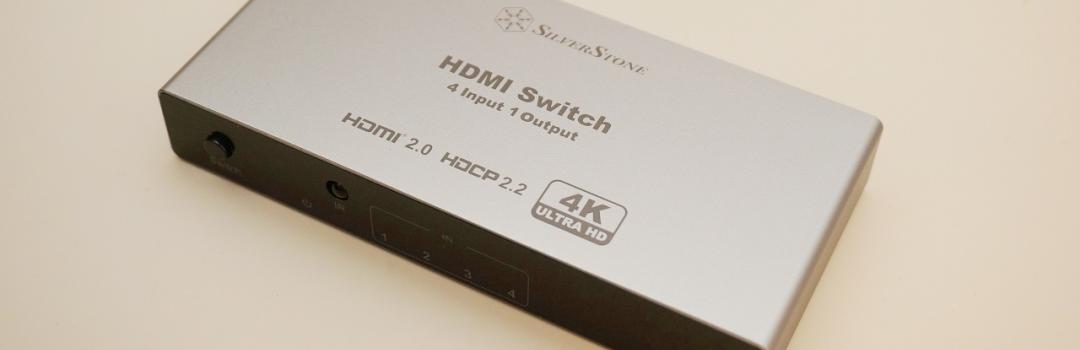
As a software developer for embedded systems, I sometimes need to work on embedded Linux image builds using tools like Yocto or Buildroot. Building these images demands a lot of computer resources, especially when it comes to CPU cores, RAM, and storage speed. One straightforward solution is to use a very powerful computer, which can make build times much more manageable. However, the problem is that building a powerful computer has become increasingly expensive recently. Specifically, RAM and SSD prices have been skyrocketing, making it much harder to put together a capable build server without spending a lot of money. As a result, building a dedicated server is no longer very affordable for many people. If having one powerful computer is not possible, a practical alternative is to use multiple less powerful computers. It may take a long time to build one image on one computer, but at least we can have multiple builds running simultaneously. For me, this means I can put some of my old computers back to use instead of letting them sit around unused. This kind of setup may not be as elegant as having one high-end workstation, but it can still be very useful for testing different builds, configurations, or branches at the same time. Now the challenge is how to manage the video outputs of all these computers when I only have one monitor. For today's review unit, the SilverStone HSW41 is an HDMI switch that allows me to manage the HDMI outputs of multiple computers. Is it a good product overall? Let us read on and find out!

Today's review unit of the SilverStone HSW41 arrived from SilverStone's offices in Chino, California, USA. Shipped with FedEx Ground service, the box arrived in very good condition at our APH Networks offices here in Calgary, Alberta, Canada. There were no notable bumps or bruises for me to be concerned about the contents inside the box. In addition to the HSW41, we also received the SilverStone IceMyst 360 PRO and SilverStone XED120S, which will be reviewed by my colleague Qian Chen.

Usually, a good retail package design can draw people's attention and make the product itself stand out among hundreds of other products on the shelf. However, nowadays, we all just get our stuff on the Internet. Most of the time, the retail package image is not even included in the product description. Therefore, it is mostly unnecessary to have fancy retail packaging to get attention from passing customers. In this case, the retail package of the SilverStone HSW41 is simply a brown cardboard box with a large sticker on it. All the product-related information, such as the product photo, model name, and product introduction, is printed on the sticker. Overall, the retail package looks very eco-friendly, and it prompts us to open the package to see what is inside the box.
Before we do anything else, let use quick look at the specifications of the mid-tower from its official website:
Specifications
Model No.: SST-HSW41
Material: Aluminum + Plastic
Resolution support: 4K/60Hz Downscaling to 1080p
LED indicator: Red-Activate
Cable length: Type-C:100mm+-10mm
IC controller: LN18136G+QFN76
HDMI Version: HDMI2.0 backward compatible with HDMI1.4/HDMI1.3
HDR: HDR10 supported
Support display quantity: 1
Support sources quantity: 4
Dimension: 138mm(W) x 20mm(H) x 65mm(D)
Net weight: 165.2g
Remark:
[1] A Type-C to Type-A cable is included for connection to USB-A devices; adapters must be purchased separately.
[2] Batteries are not included with the remote control and must be purchased separately.

Upon opening the box, you will find the HSW41 wrapped in a plastic bag. The bag can be easily ripped open to reveal the product. There is also a remote controller included in the package, and it is also wrapped in a plastic bag. A USB Type-C to Type-A cable is provided by SilverStone. The cable can be used to power the device, while the adapter is not included. The printed warranty information can also be found inside.
Page Index
1. Introduction, Packaging, Specifications
2. A Closer Look - Hardware and Software
3. Tests and Usage Experience
4. Conclusion