
By: Jadon Lee
April 10, 2026
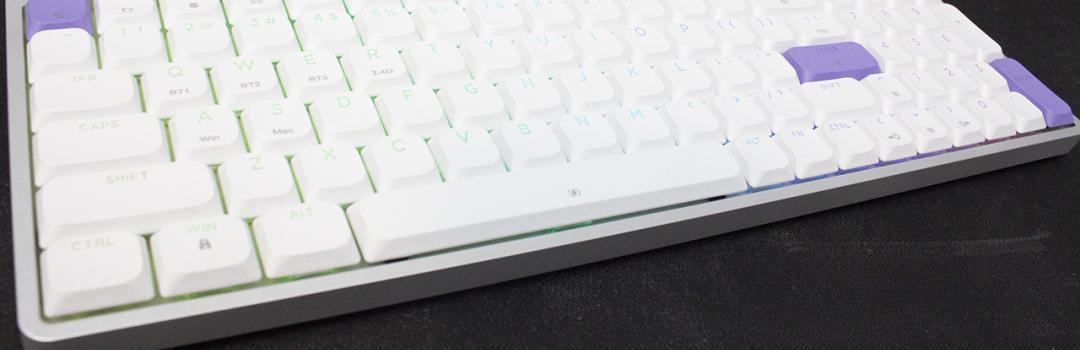
For those of you who know me, you may know that I have recently switched careers. After working so hard as a warehouse worker and lifting heavy weights like a big burly man, I have since transitioned to an office job. I will say, the transition into a downtown office from a semi-rural warehouse was a lot smoother than expected, with little to no hiccups along the way. For my first day, I found that the public transportation was adequate, and finding my office building was not too hard. As for my coworkers, they were also great. I find that there are nice tradeoffs when it comes to working downtown. Despite the transportation taking a little longer, it does give me time to mentally prepare myself for my day. Furthermore, just being downtown gives me access to grabbing lunch with all of my downtown friends. Generally speaking, there is not much for me to complain about except when it comes to my office keyboard. If you are experiencing the same issues as me in your office job, this week we have the Epomaker Luma100, a 96% low profile keyboard that has all the keys necessary for those who need to do tasks behind their desks. Will this keyboard be worth the effort to bring into the office? Keep reading to find out!

Our review unit of the Epomaker Luma100 came alongside the HE108, TH80 V2 Pro, TH80 V2, and RT100 Pro in a tightly wrapped in a plastic that covered many layers of bubble wrap underneath. The box was shipped to us here in Calgary, Alberta from Shenzhen, China via eMile Express. The shipping process was good, with no visible impact on the retail box. I was not worried about the condition of the product itself, as there was no noticeable damage.

The Epomaker Luma100’s box design is aesthetically pleasing, using a black and blue exterior. The front displays Luma100 name on the bottom left. Epomaker’s logo is placed on the top left. We find a general render of the keyboard beside the logo with a few features listed below it. The back mentions some additional information. This is a straightforward design that offers very minimal, but relevant, information. Personally, I do not mind this, as I appreciate the lack of clutter and simplicity.
Before we continue, here are the specifications for the Epomaker Luma100, as specified by the manufacturer’s website:
Model: LUMA100
Layout: 96% ANSI US Layout
Number of Keys: 100 Keys
Battery: 3000mAh
Connectivity: Tri-Mode Wireless (2.4Ghz/BT/USB Wired)
Compatibility: Mac/WIN/Android
Front Height: 23mm
Back Height: 25.5mm
Case Material: Anodized Aluminum
Plate Material: PC
Stabilizers: Gateron Low-Profile Stabilizers
Mounting Structure: Gasket-Mount
Sound Dampening: Sandwich Foam, Switch Pad, Sound-Enhancement Pad, Switch Socket Foam, Bottom Sound-Absorbing Foam
Keycaps Profile: DSA Low-Profile
Keycaps Material: ABS Plastic
Keycaps Manufacturing Technique: Double-shot
Hot-Swappable: Yes, the LUMA100 keyboard is hot-swappable with Low Profile Switches
RGB: Per-Key North-Facing LEDs
Polling Rate: 1000hz (USB/2.4Ghz) or 125hz (BT)
Keyboard Dimensions: 37.1cm in Length, 12.85cm in Width, 2.55cm in Height on the ESC side, and 1.65cm in Height on the Spacebar side
Keyboard Weight: 0.62kg

Out of the box, you will receive the Epomaker Luma100 keyboard with a cable, extra switches, additional feet, carrying case, and a user manual. The keyboard is wrapped in plastic to prevent any surface scratches. I was satisfied when it came to packaging. The quality of the packaging was good, but could benefit from the use of foam.
Page Index
1. Introduction, Packaging, Specifications
2. A Closer Look - Hardware and Software
3. A Closer Look - Disassembly and Internals
4. Conclusion





