Page 4 – Installation and Conclusion

The computer building process with the Cooler Master COSMOS ALPHA was generally a very pleasant experience. Thanks to the massive internal space and thoughtful layout, installing components inside this full-tower chassis felt straightforward and comfortable. The hinged side panels on both sides were especially helpful during assembly, since they allowed quick access to the system without needing to completely remove large panels. The only real downside during installation was the overall size and weight of the case. This chassis is quite heavy even before installing hardware, so it is important to be mindful when moving it around during the build process. I started by installing the power supply. The COSMOS ALPHA provides flexibility in PSU placement, allowing it to be mounted either toward the top or the bottom depending on the desired cooling configuration. In my setup, the PSU was mounted in the top section of the chassis. Installation was straightforward thanks to the open design and the large working space around the mounting area.
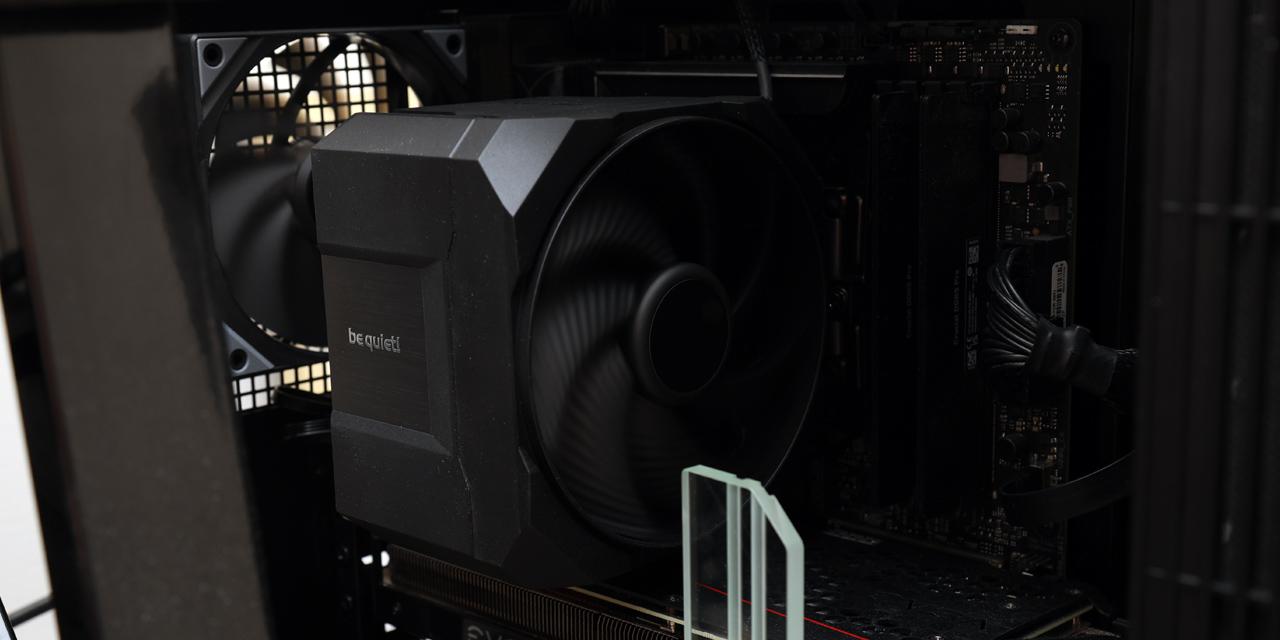
Moving on to the motherboard installation, I used my Gigabyte GA-H170-D3HP paired with a Thermaltake UX200 SE CPU cooler. As expected from a high-end full tower case, there was plenty of room around the motherboard area, making installation easy. The large cutout in the motherboard tray aligns perfectly with the CPU socket location, which means the cooler backplate can be accessed or replaced without removing the motherboard from the case. This is always a convenient feature when upgrading or troubleshooting cooling components.

For storage, I did not install any traditional drives in this system, since I am using a single Western Digital Black SN750 NVMe SSD 500GB directly on the motherboard. However, the COSMOS ALPHA offers plenty of room for additional storage devices if needed. Users planning to install multiple hard drives or SSDs will find ample mounting options throughout the chassis, making it possible to configure the case for workstation or server-style builds.
The rest of the installation process went very smoothly. The case already comes with several fans preinstalled, including the two large 200mm intake fans at the front and a rear exhaust fan, so there was no immediate need to add additional fans from my spare parts. Routing cables was also easy thanks to the numerous openings around the motherboard tray. Even thick cables such as the motherboard power connector could be easily passed through the grommeted openings without much effort. Due to the sheer size of the COSMOS ALPHA, many cable routing holes remained unused even after completing the build, which further highlights how spacious this chassis really is.

After completing the build inside the Cooler Master COSMOS ALPHA, it was finally time to press the power button and see the system come to life. As shown in the photo above, the integrated ARGB LED lighting strips along the bottom frame immediately illuminate the underside of the chassis, creating a subtle glow that reflects off the surface below the case. Combined with the lighting from the ARGB LED fan on the CPU cooler, the overall lighting effect looks quite impressive through the lightly tinted tempered glass side panel. In my setup, the ARGB LED fan on the CPU cooler was connected to the included lighting hub, allowing all of the RGB lighting elements inside the system to remain synchronized. Lighting modes can be adjusted using the dedicated control button on the top panel, so there is no need to install additional software to change the lighting effects.
Noise performance is also something I pay close attention to in any system build. In this configuration, there were several fans operating simultaneously, including the two large 200mm intake fans at the front and the rear exhaust fan. Despite the number of moving components, the system remained reasonably quiet during normal operation. Using my usual subjective scale from 0 to 10, where 0 represents complete silence and 10 would resemble a jet taking off, I would rate the system at approximately 3.0/10 when the fans were running at reduced speeds during typical workloads. Modern motherboards do a good job controlling fan speed, allowing the system to stay quiet when the computer is not under heavy load.
When all fans were running at maximum speed, noise levels naturally increased. At full RPM, I would rate the system around 5.5/10 on the same scale. The smaller rear exhaust fan contributes most noticeably to the overall noise profile at higher speeds. It is also worth noting that the COSMOS ALPHA does not include dedicated sound dampening materials inside the chassis, so noise reduction relies mainly on the fan control profiles configured through the motherboard. Objectively, I measured the system producing 45.5 dB(A) of noise at a distance of 50cm with the fans running at full speed. Even so, considering the amount of airflow this case can generate, the noise level remains quite reasonable for a high-performance full-tower chassis.
-----------------------------------------
After spending some time building and testing a system inside the Cooler Master COSMOS ALPHA, I came away with a similar realization as with many very large full-tower cases: The chassis itself dwarfs than the hardware installed inside it. With my modest test components, the interior still looked rather empty. However, that is exactly the point of a case like the COSMOS ALPHA. This chassis is clearly designed for enthusiasts who want the freedom to install large radiators, multiple cooling loops, oversized graphics cards, and plenty of fans without worrying about space limitations. From a design perspective, the curved tempered glass side panel, integrated exoskeleton frame with large handles, and the glowing ARGB LED lighting bars along the bottom all give the case a futuristic and premium appearance. The structural frame also serves a practical purpose by making it easier to move such a large and heavy chassis. Inside, the spacious layout, hinged side panels, sliding motherboard tray, and modular PSU placement options make the building experience quite enjoyable. These features provide a great deal of flexibility when planning complex cooling configurations. Cooling support is undoubtedly the highlight of this case. The COSMOS ALPHA offers extensive mounting locations for fans and radiators across multiple areas of the chassis, including the front, top, bottom, and even behind the motherboard tray. The ability to install extremely large radiator configurations is something rarely seen in conventional cases. Even without additional hardware, the two large 200mm intake fans and rear exhaust fan already provide a strong airflow foundation. For builders who prioritize cooling performance above all else, the COSMOS ALPHA provides an impressive platform. Of course, there are a few considerations to keep in mind. The COSMOS ALPHA is physically large and quite heavy, so it requires a decent amount of desk or floor space. Additionally, with a current price of around $400 USD, this case is certainly positioned in the niche segment of the market. It is not a budget option by any means. It is also, by no means, quiet. However, if you are the type of builder who values exceptional cooling capability, modular layout flexibility, and a distinctive high-end design, the COSMOS ALPHA offers a compelling package. In that sense, going back to the question raised in the introduction, this case feels less like something built specifically for gamers and more like a chassis designed for enthusiast PC builders who want maximum cooling performance and customization freedom.

Cooler Master provided this product to APH Networks for the purposes of evaluation.

APH:Renewal Award | APH Networks Review Focus Summary:
8/10 means Definitely a very good product with drawbacks that are not likely going to matter to the end user.
-- Final APH Networks Numeric Rating is 8.0/10
Please note that the APH Networks Numeric Rating system is based off our proprietary guidelines in the Review Focus, and should not be compared to other publications.
The Cooler Master COSMOS ALPHA is a premium full-tower chassis built for enthusiast PC builders who want maximum cooling flexibility and enough space to accommodate virtually any high-performance hardware configuration.
Page Index
1. Introduction, Packaging, Specifications
2. Physical Look - Outside
3. Physical Look - Inside
4. Installation and Conclusion