Page 3 - Installation and Usage

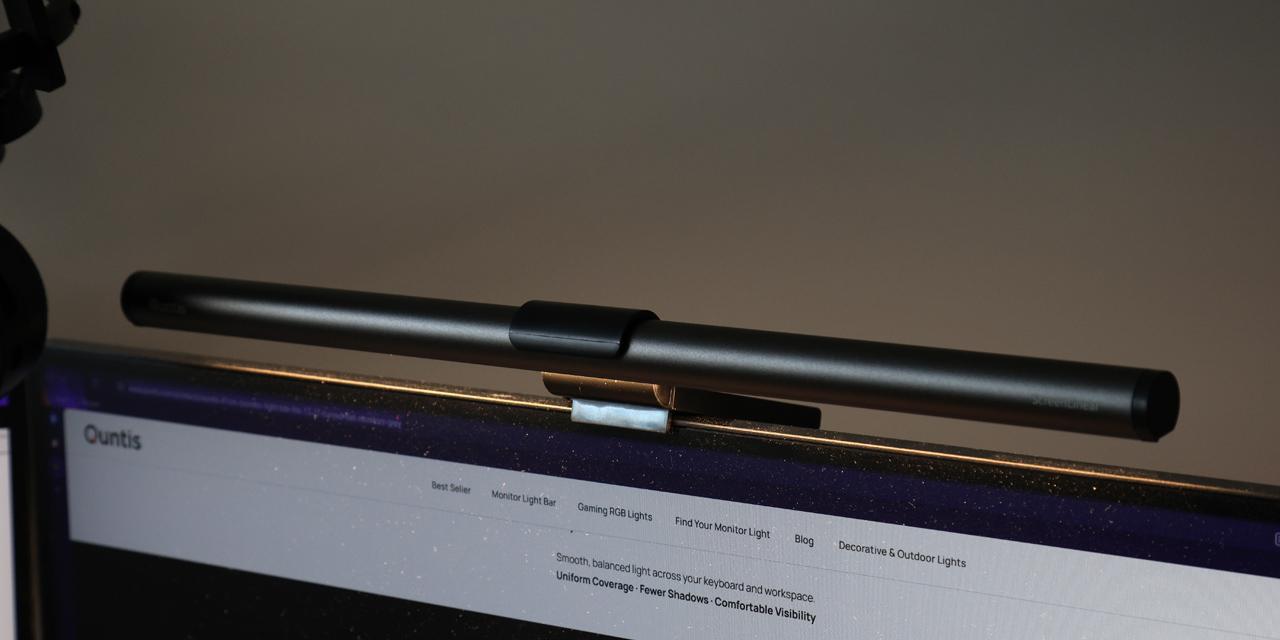
Installation of the Quntis Monitor Light Bar Focus 41cm Grey is an effortless process. As I have two 27" monitors, I put the single one over my primary monitor. While the light does not span the entire length physically, the light pattern is wide enough to illuminate around the screen. I started by clipping the light bar into place and plugging the unit into a USB AC wall adapter. Next, I rotated and angled the tube, so the light did not shine into my eyes. I kept the protective layer on the sticky portion of the counterweight, as the weight alone was enough to keep the Monitor Light Bar Focus 41cm Grey in place.
On closer inspection, you can see only thirty-six of the seventy-two LEDs are a warmer yellow color, while the other half are brighter white. This way, the Quntis Monitor Light Bar Focus 41cm Grey can transition from a warm to cool color temperature without needing to use LED lights that are capable of both. The lights are tightly packed together so even when you are in the warmest or coolest color temperatures, you cannot observe the gap between each LED, unless you are staring directly into the lights. One other interesting aspect is the fact there is some sort of memory with this light, as it remembers the last setting of brightness and color temperature whenever you turn it on or off, or if the monitor loses power. This was true in my testing, which was quite handy when I turned the light on every evening.

In daily use, the Quntis Monitor Light Bar Focus 41cm Grey worked as you might expect. I did not notice any flickering, whether by eye or when captured on a camera. Flickering lights can lead to increased eye strain, fatigue, or even headaches for some sensitive users, so this is a positive. On the other hand, I did notice the bar does get a bit warm after it has been powered on for a brief period. This is not too surprising given how bright the lights are, but it was still warmer than expected. The remote control was also straightforward to use. The only thing I would want improved is the granular adjustments. Quntis says you can tap and hold to make changes that are between the preset levels. However, the remote registers the single tap and takes a step up or down first before making gradual changes. None of these things are important, but Quntis may want to refine this input.
You might be wondering why you would need a monitor light, especially as monitors are already illuminated. However, the primary reason is that these lights are not meant to illuminate the screen, but the area around it. By doing so, this will reduce the contrast between the monitor and your environment, which is important especially if you are working in a darker room. Some may counter by saying a lamp is a sufficient alternative. While this can be true, the placement of the monitor light does not create any glare, since it sits above the screen instead of in front of it. Personally, I have always used a desk-mounted lamp behind my monitors facing upwards to illuminate the back wall behind my computer. This does not brighten my desk as much as the Quntis Monitor Light Bar Focus 41cm Grey, so there is some usefulness with this product. Also, those who have color-sensitive work, such as photo and video editing, may want a light bar that ensures a high color rendering index, as this unit does.
Page Index
1. Introduction, Packaging, Specifications
2. A Closer Look - Hardware
3. Installation and Usage
4. Conclusion